

Connect to an HTTP Resource
To connect to an HTTP Resource, follow these steps:-
Adjust the Hostname: In your API request, modify the hostname to point to the Connector. Replace the hostname with the http resource name you have specified in the resources section of the Control Plane or Terraform. If the hostname of your connector is
formalcloud.net, and your http resource name isstripe, you can replace the request URL with the following:- Old Way:
https://api.stripe.com/v1/customers - New Way (Using the Connector):
https://stripe.formalcloud.net/v1/customers
- Old Way:
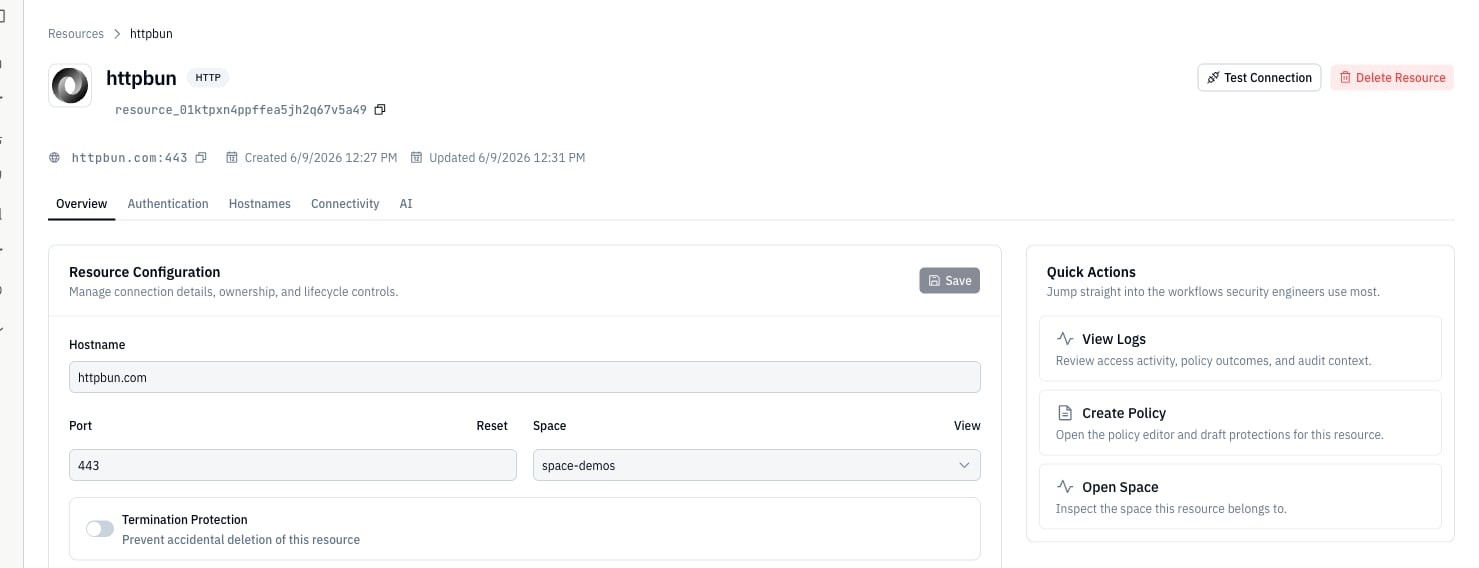
- Tool of Your Preference: Use your preferred API tool to send requests through the Connector. This can be tools like Postman, cURL, or any other HTTP client that allows you to specify the API endpoint. In order to see the user who made the request, you can set
X-Formal-User-UsernameandX-Formal-User-Passwordin the request headers.
Payload Encryption
The Connector encrypts both response and request payloads before they’re sent to the Formal Control Plane. This ensures that Formal won’t have access to any transmitted data. Create a log configuration to enable payload encryption.Decrypting the logs in Formal UI
- First, deploy the AWS Lambda function using the code found here.
- Then, navigate to a specific HTTP Log and hit the
Decrypt Response BodyorDecrypt Request Bodyto input the URL of the Lambda function directly in the UI.
HTTP Payload Size Limitation
To ensure efficient and streamlined logging while preventing potential issues related to large data volumes, our system provides configurable size limitations for both HTTP request and response payloads. If the size of a payload exceeds the configured limit, it will not be included in the logs. Create a log configuration to enable limits on payload sizes.Multiple Resources
The Connector supports connecting multiple downstream APIs to the same Connector. For example, using a Connector with the hostnametest-http-proxy.formalcloud.net, you can query:
1
First Step
Configure your DNS entries with the subdomains.
2
Second Step
Create HTTP resources with names matching the subdomains used in the hostname of the Connector. In the example provided, the names of the resources should be
openai and stripe.3
Third Step
Link multiple resources to the same port.
The TLS Certificate must be a wildcard certificate and should cover every subdomain.
Policy Evaluation
Formal supports the following policy evaluation stages for HTTP:- Session: Evaluate and enforce policies at connection time. Actions:
allow,block. - Request: Evaluate and enforce policies before request execution. Actions:
allow,block,rewrite,decrypt. - Response: Evaluate and enforce policies after data retrieval. Actions:
allow,filter,mask,rewrite,encrypt.
encrypt and decrypt to seal secrets such as OAuth tokens on the Connector. See Token Encryption and Encrypt & Decrypt. For an MCP worked example, see Encrypt MCP OAuth Tokens.
Header Rewrites
Therewrite action at the request stage adds, replaces, or removes HTTP headers before the request reaches the upstream service. Common use cases include injecting authentication tokens, enforcing organization-level API restrictions, and stripping internal headers. For Anthropic tenant restrictions, see Restrict Anthropic Sign-Ins to One Org.
Header names in
input.http.headers are normalized to lowercase. The rewrite applies canonical HTTP casing before forwarding (e.g., x-custom-header becomes X-Custom-Header).Add a header
object.union merges the new headers into the existing input.http.headers; keys in the second object overwrite keys in the first.
Replace an existing header
The sameobject.union pattern overwrites a header value:
Remove a header
Setting a header to an empty array removes it before the request is forwarded:Body Rewrites
Therewrite action can replace an entire HTTP request or response body.
At each stage, input.http describes the message being evaluated.
Each rewrite action supports one body field:
Formal rejects actions that set more than one of
body, json, or post_form.
Text bodies
Thebody field replaces plain text, XML, or another body represented as a string:
JSON bodies
The request or response must contain valid JSON and use a JSON content type. Formal then exposes the parsed value asinput.http.json.
object.union replaces selected fields while preserving the remaining object:
json.patch
built-in supports nested changes and array operations.
It accepts standard JSON Patch operations.
The following patch replaces a nested value, removes a field, and appends an array item:
/profile/email.
All operations apply atomically.
If any operation fails, json.patch is undefined and this rewrite does not apply.
The Rego documentation describes
JSON object syntax and access.
Its object built-ins
include object.get, object.remove, object.union, and related functions.
If the body or content type does not qualify, input.http.json is absent.
The raw string remains available as input.http.body.
HTML form bodies
Formal exposes parsed HTML form fields asinput.http.post_form.
Each field contains an array because a form can repeat keys.
{"scope": ["read", "write"]}.
Response bodies
Aresponse rule supports the same fields.
At this stage, input.http.body, input.http.json, and input.http.post_form describe the upstream response.
Authentication
The Connector supports forwarding HTTP authentication headers transparently from HTTP clients. In addition, the Connector supports adding HTTP authentication headers that the HTTP client does not have access to using Native Users.Native Users
The connector can inject credentials for the upstream Resource using Native Users. Choose one of these typed credential methods:- HTTP Basic injects a username and password into a named header.
- HTTP Bearer injects a bearer token into a named header.
- API Key (Header) injects a key into a named request header.
- API Key (Query) injects a key into a named query parameter.
Terraform
Use the Terraform block that matches the credential method.HTTP Basic
HTTP Bearer
API Key (Header)
API Key (Query)
If an HTTP Resource has no Native Users configured, the Connector forwards
requests upstream without injecting credentials.
Resources that still use JSON documents in the password field use the
legacy Native User format.
formalsealed:v1: envelopes, configure Token Encryption and use the HTTP encrypt and decrypt policy actions.