

Overview
An AWS resource lets users access AWS APIs through the Formal Connector without giving them credentials for the upstream IAM role. Users continue to send requests to standard AWS service endpoints, such asec2.us-west-2.amazonaws.com. The Formal Endpoint routes those requests to the
Connector, where Formal evaluates policy and records the activity. The Connector
then re-signs allowed requests with the IAM identity selected by a Native User.
That Native User can select an assumed role or the Connector’s ambient AWS
identity.
The AWS CLI and SDKs require an access key ID and secret access key to sign
requests. However, these client-side credentials can be placeholders. They only
produce the initial signature, which the Connector replaces before the request
reaches AWS.
Set up this request path in five parts. Create the AWS resource, configure the
Connector’s AWS identity, and configure a Native User. Then make the resource
reachable through a Connector listener and route traffic through the Formal
Endpoint.
The Connector requires an authenticated Formal identity for this request path.
It rejects requests that do not resolve an authenticated Formal identity.
Create an AWS resource
The resource hostname determines which AWS endpoints it covers. Set it toamazonaws.com with port 443 to cover standard service endpoints across all
commercial AWS regions:
us-east-1.amazonaws.com. Update the Formal Endpoint network rule to match that
suffix. AWS partitions with other domain suffixes require separate resources
and network rules.
Configure the Connector’s AWS identity
Before configuring a Native User, give the Connector an AWS region and ambient AWS identity. The Connector loads both through the AWS SDK for Go default configuration. SetAWS_REGION in the Connector’s deployment environment. This is the default
region for AWS SDK operations:
Configure the upstream AWS identity
Every signed request must resolve a Native User. Add one after creating the AWS resource. The Control Plane opens the Add Native User wizard automatically: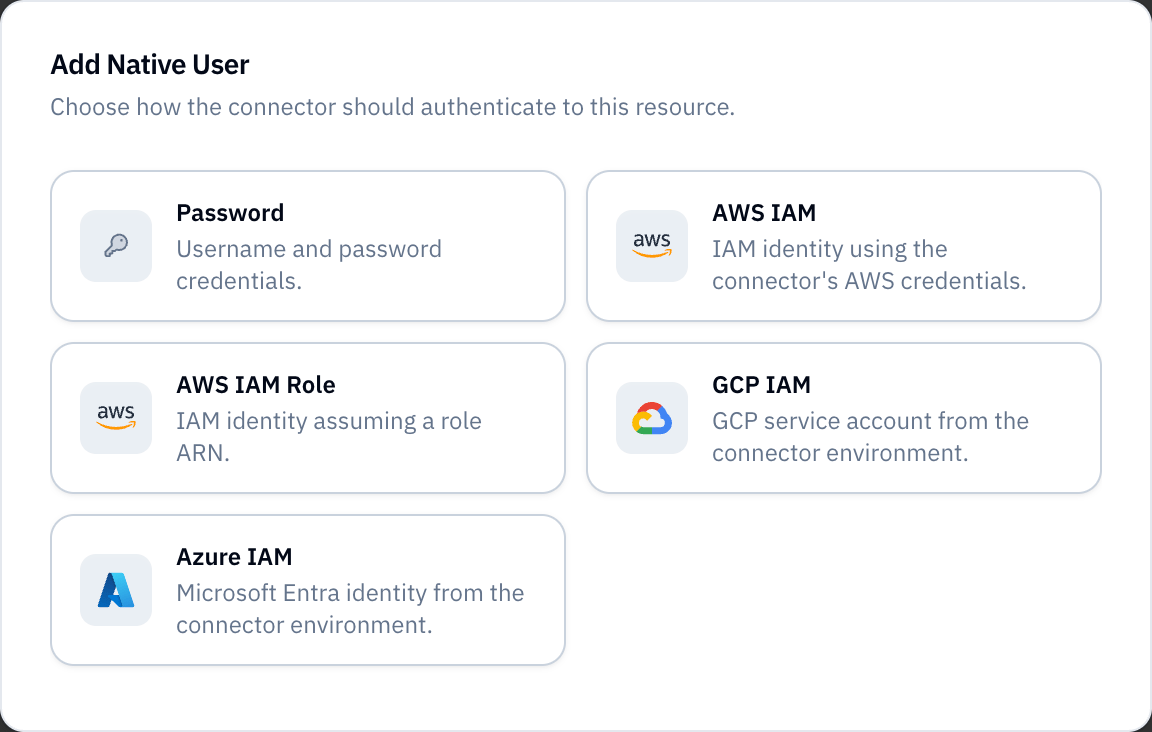
- Select an AWS IAM authentication method:
- AWS IAM uses the Connector’s ambient AWS identity.
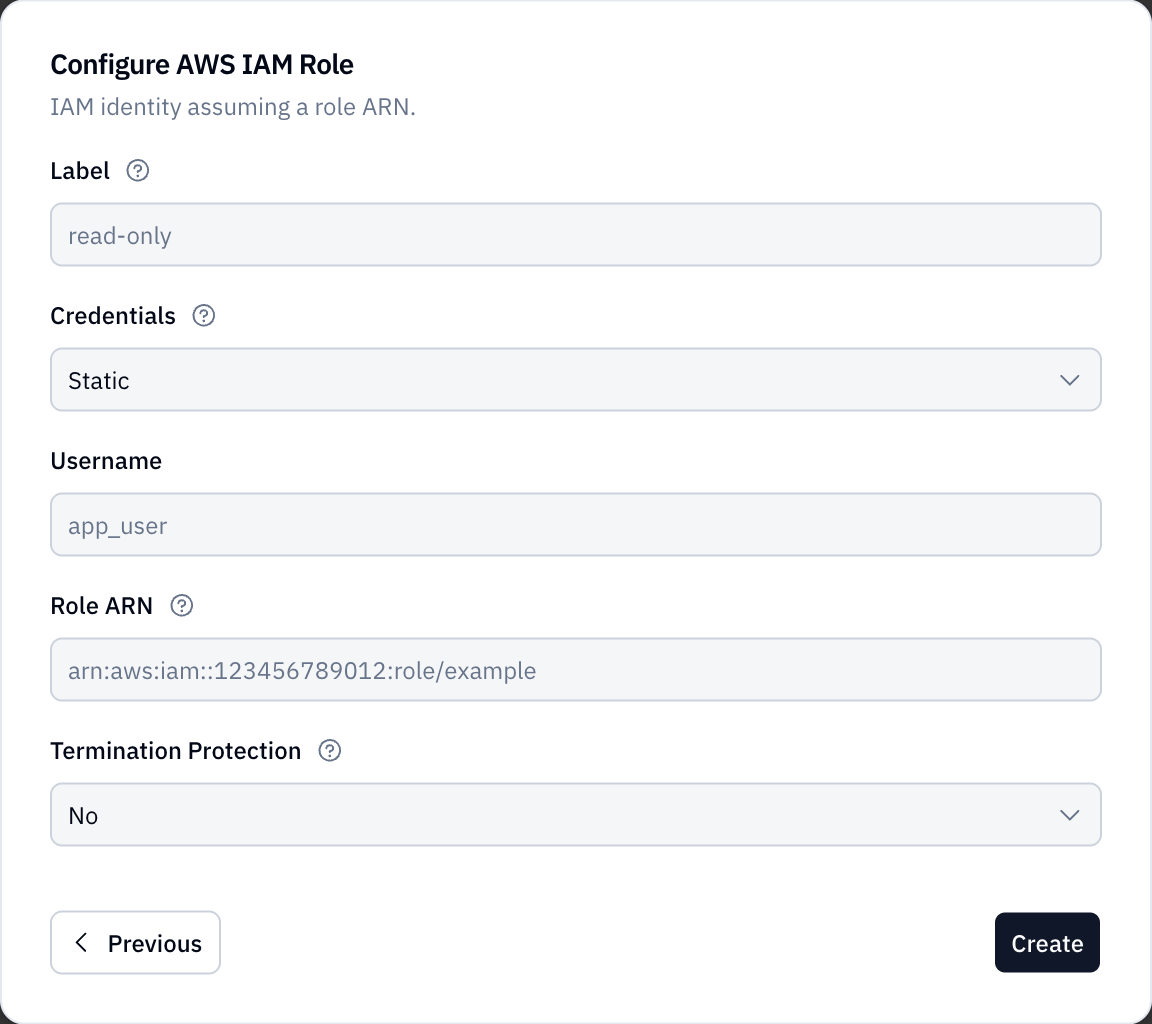
- AWS IAM Role assumes the IAM role you specify.
- Enter a unique Label, such as
aws-role. - Enter a descriptive Username. Generic AWS API Resources do not use it when signing requests.
- For AWS IAM Role, enter the role ARN.
- Create the Native User.
- Configure Default Native User with the Native User’s ID.
Resources using legacy Native Users store
iam or a role ARN in the secret
field. See
legacy IAM authentication.aws_iam block for the Connector’s ambient identity:
aws_iam_role to assume a role:
aws-admins and the
Connector’s ambient identity for everyone else.
For an assumed role, both sides of the role assumption must allow it. The
Connector’s ambient identity needs permission to call sts:AssumeRole. The
upstream role’s trust policy must also trust that identity.
The AWS identity used to sign the request defines the maximum permissions
available through the resource. The resolved Native User explicitly selects an
assumed role or the Connector’s ambient identity. Formal policies can narrow
that access further.
Create additional Native Users for different AWS access levels. Use the
Resource’s default Native User selection
to choose one for each Formal identity.
Make the resource reachable through a Connector
The Formal Endpoint needs a Connector and listener port to which it can forward the intercepted request. A network rule alone does not create this route. In the Control Plane:- Go to Infrastructure → Connectors and open the Connector that should proxy the AWS resource.
- Open Listeners, select New Listener, enter a Name and available
Port, then create the listener. Port
8080is reserved for Connector health checks. - Open the listener and select New Rule.
- Set the rule type to Resource, select the AWS resource, and create the rule.
- Confirm the AWS resource appears under the Connector’s Resources tab (Reachable Resources).
8080.
Route traffic through the Formal Endpoint
The final part of the request path is a Formal Endpoint network rule. Network rules require Transparent Mode to be installed and enabled. Complete the Transparent Mode setup before creating the rule. One AWS resource can cover many service hostnames. The rule must preserve each request’s hostname so the Connector knows which AWS service to contact. For a resource scoped toamazonaws.com, create a rule that:
- Matches
amazonaws.comand hosts ending in.amazonaws.com. - Selects the AWS resource.
- Enables Forward to Connector.
<AWS_RESOURCE_NAME> with the name of the AWS resource you created.
Create the rule under Infrastructure → Network Rules, and set its status
to Active. New rules default to Draft and do not route traffic until
activated.
Configure the AWS CLI
With the resource, Native User, Connector listener, and network rule in place, create a dedicated AWS CLI profile. Give the profile placeholder credentials and configure it to trust the Formal Endpoint’s CA certificate:- macOS
- Linux
us-east-1 to the region you normally use. Keep the placeholder
credentials as shown: the Formal Endpoint authenticates your Formal identity,
while the Connector supplies the AWS identity used upstream.
Do not configure an endpoint_url or pass --endpoint-url to individual
commands. The AWS CLI must use standard service endpoints. This allows the
Formal Endpoint network rule to preserve and route each service hostname.
Verify the connection with AWS STS:
formal-aws profile with other AWS CLI commands.
Formal will route, evaluate, and record each request in the same way.
Troubleshoot InvalidClientTokenId
If AWS returns InvalidClientTokenId while using the placeholder credentials,
first verify the Formal route rather than replacing the placeholders:
-
Confirm Transparent Mode is enabled:
- Confirm the network rule is Active, selects the AWS resource, and has Forward to Connector enabled.
-
Confirm you are logged in to the Formal Endpoint with
formal auth login. - Confirm the Resource’s default Native User selection selects a Native User for your Formal identity.
- Confirm the resource appears under the Connector’s Reachable Resources. After adding a listener rule, allow up to one minute for the Formal Endpoint’s reachability data to refresh. Restart the Formal Endpoint if the mapping still does not update.
-
On macOS, inspect
~/Library/Logs/Formal/main.log. The messagecatchall: failed to resolve connector forwarding targetmeans the Formal Endpoint cannot find a Connector listener that reaches the selected resource.