

Overview
Every query, command, and API call that flows through Formal is logged and stored for auditing, compliance, and security analysis. Formal’s log system provides comprehensive visibility into data access across your organization. Logs can come from Connectors, the Formal Endpoint, the Control Plane, or workflows.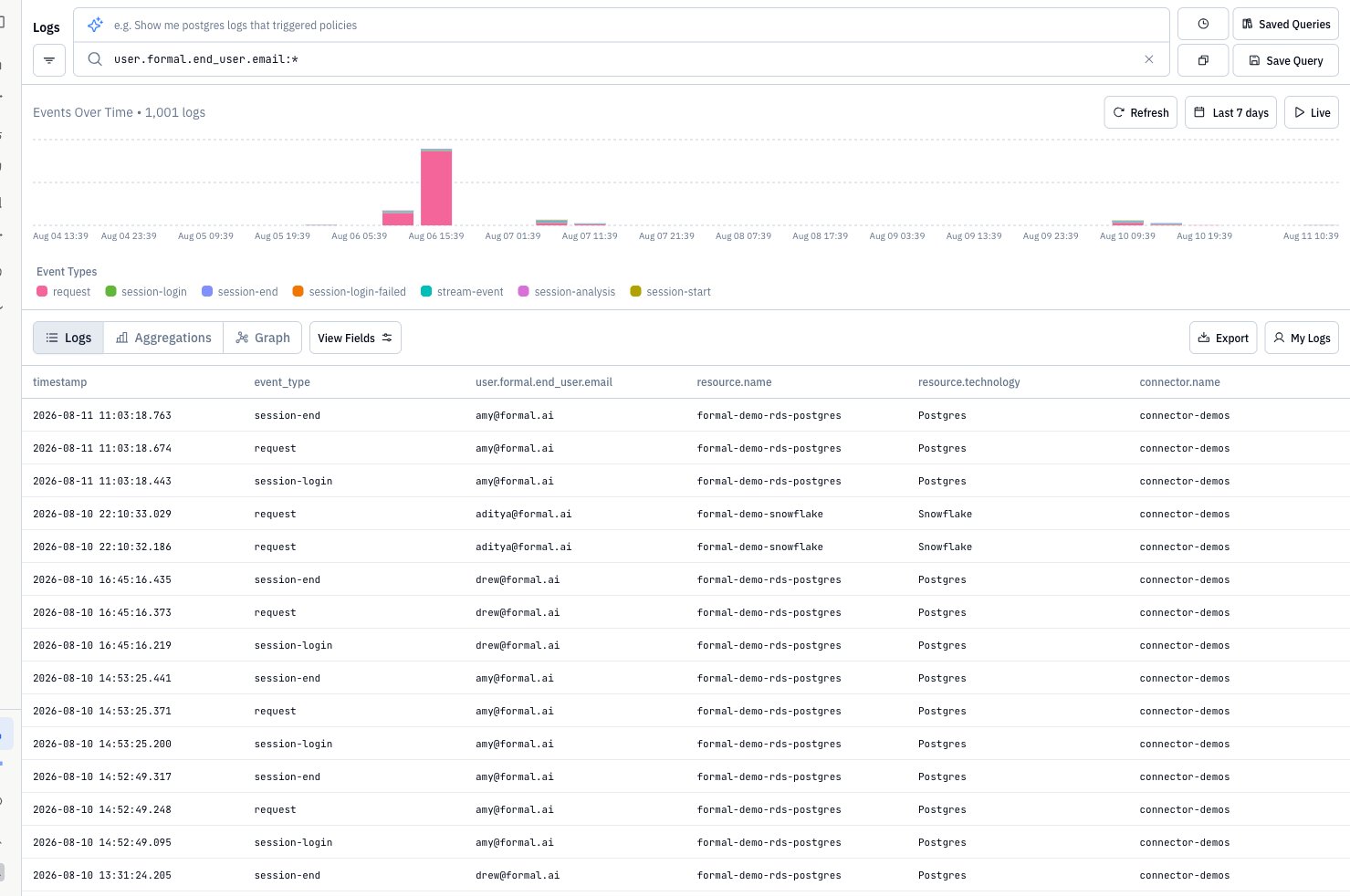
Log Sources
Every log has asource field. Use the Source control in the Control Plane, or filter with Quickwit (for example source:control-plane).
For Control Plane audit fields, search examples, and who can view those logs, see Control Plane Logs.
What Gets Logged
Database Queries
Full SQL/NoSQL queries, execution time, rows affected
API Calls
HTTP requests, headers, request/response bodies, status codes
SSH Commands
Every command executed in SSH sessions
Kubernetes Exec
kubectl exec sessions and commands
Control Plane API Calls
Create, Read, Update, and Delete API calls made to the Control Plane
Log Enrichment
Formal automatically enriches each Connector log entry with contextual information:
Control Plane API calls are enriched with the following information:
See Control Plane Logs for search examples and viewing permissions.
Accessing Logs
Navigate to Logs in the Control Plane to view all logged activity.Viewing Modes
- Logs Mode
- Aggregations
- Graph
Default view that displays all log entries chronologically.
- See individual queries/commands
- Click any row to open detailed panel
- Filter and search across all fields
- Click Export to download CSV or JSON
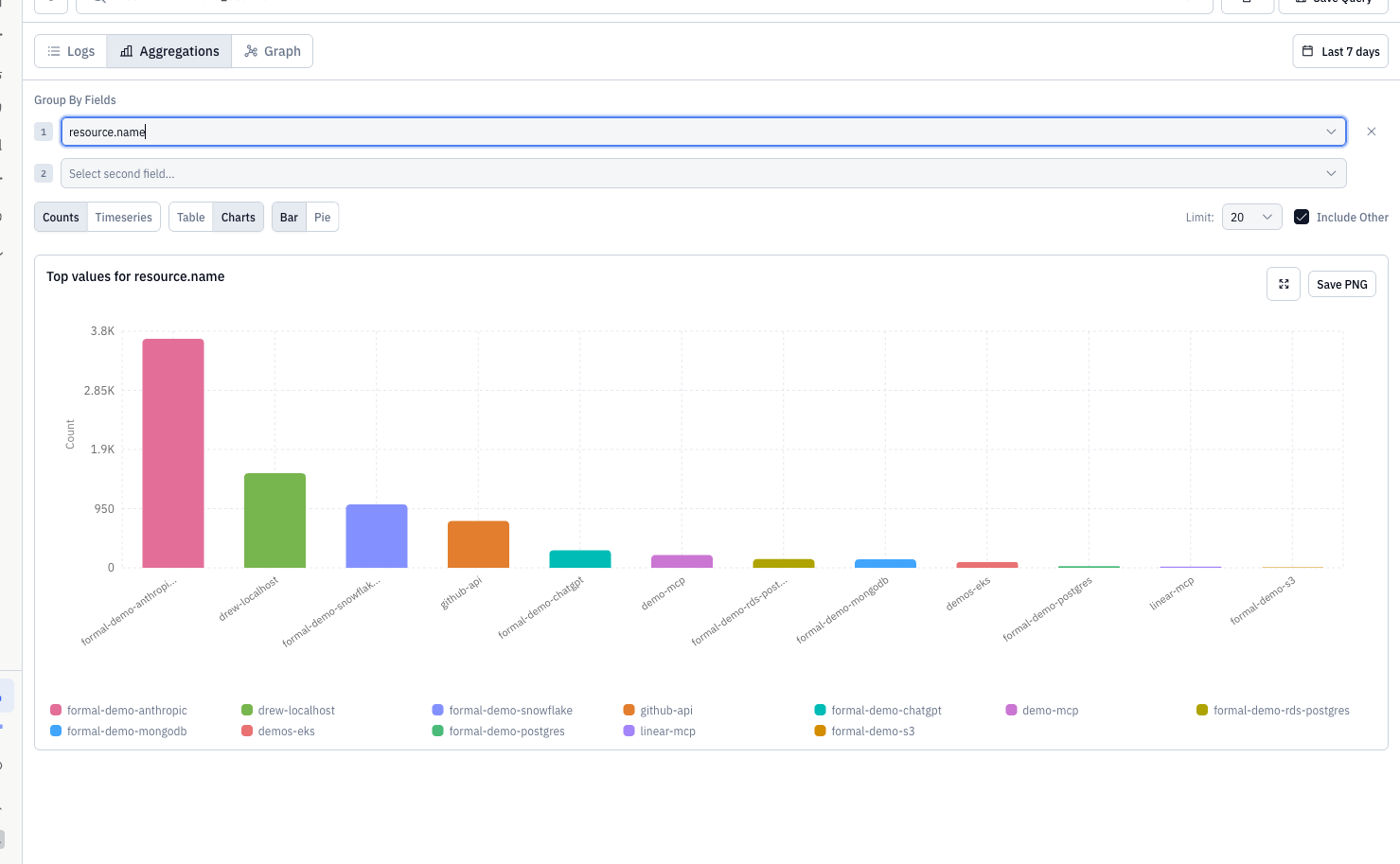
Aggregation Examples
Use Aggregations to answer common operational and security questions:Log Details Panel
Click any log entry to view comprehensive details: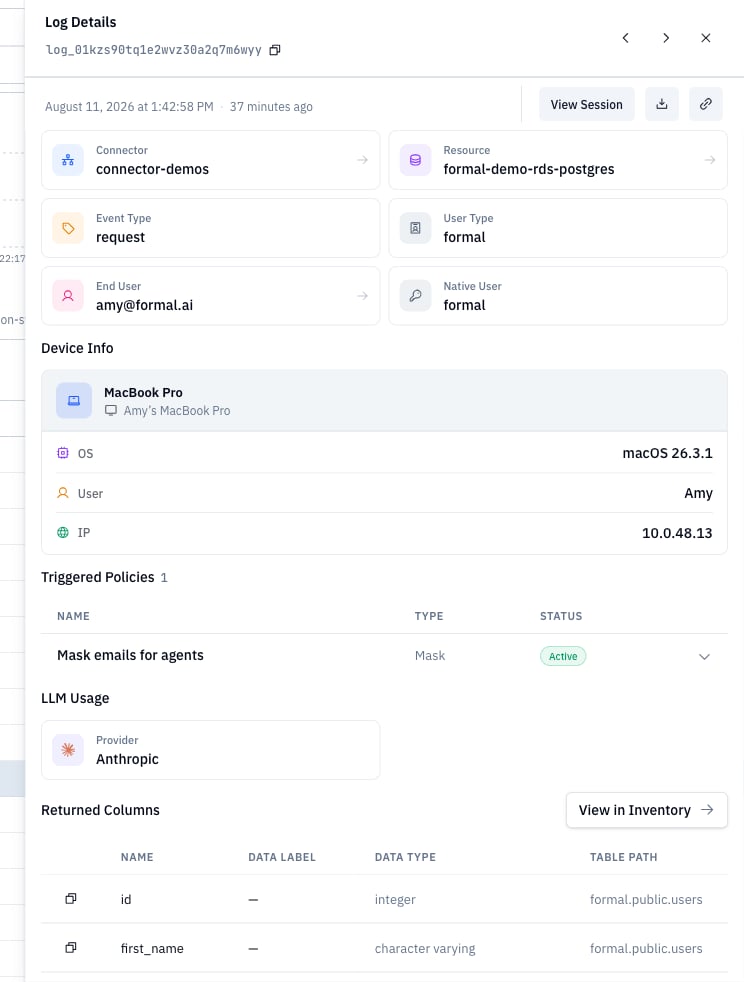
What’s Included
- Full Query/Command: Complete text of what was executed
- User Context: User, end-user, groups, email
- Resource Information: Database, hostname, port, technology
- Policy Evaluation: Which policies evaluated, actions taken, reasons
- Performance Metrics: Duration, rows affected, data transferred
- Network Information: Client IP, application, connection details
- Session Link: Jump to associated session recording
Log Schema Reference
Every log entry follows a structured schema with nested fields. You can query any of these fields using Quickwit syntax.Event and Session Fields
User Fields
Resource Fields
Request and Response Fields
Policy Fields
Connector and Space Fields
Control Plane Fields
See Control Plane Logs for the full audit schema, search examples, and viewing permissions.Device Fields
Filtering and Search
Formal uses Quickwit query engine for powerful search capabilities.Basic Filters
Use the sidebar to filter by:- Source — Connector, Control Plane, Workflow, or Endpoint
- Connector
- Resource
- User
- End-user
- Group
- Technology (postgres, ssh, http, etc.)
- Time range
Advanced Search
Write Quickwit queries for complex searches. Use the full field paths from the Log Schema Reference:now-24h in queries.
Query Templates
Formal provides pre-built query templates:Query Library
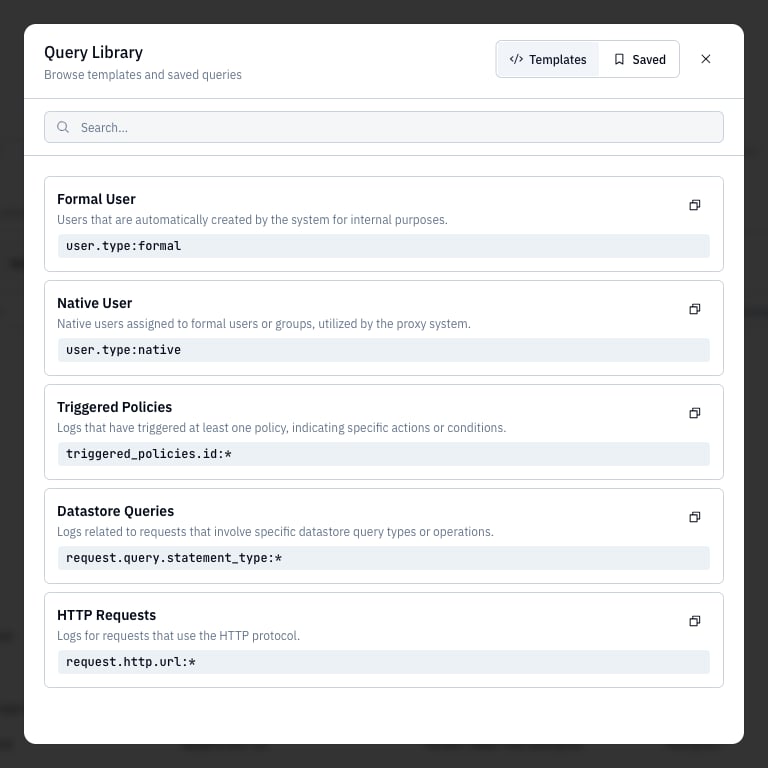
- Recent queries: Click the clock icon to reopen recent searches
- Saved Queries: Open the query library (Templates and Saved tabs)
Recent Queries
View your search history:- Click the clock icon next to Saved Queries
- Select any previous query to re-run it
- History persists across sessions
Saved Queries
Save frequently used queries for quick access:- Create your query with filters or search terms
- Click Save Query in the toolbar
- Name your query
- Access later from Saved Queries → Saved
Template Queries
Pre-built queries for common use cases. Click Saved Queries → Templates to browse available templates (see Query Templates above)Exporting Logs
CSV Export
Export search results to CSV for offline analysis:- Apply filters or search query
- Click Export
- Choose CSV (or JSON), then download the file
Log Integration
Forward all logs to external systems:- AWS S3: Long-term archive, compliance storage
- Datadog: Real-time monitoring and alerting
- Splunk: SIEM integration
- Panther: Custom.Formal.Logs schema
Log Configuration
Configure encryption, payload size limits, SQL stripping, and Connector disk spooling. Settings can target Connector or Endpoint logs. See Log Configuration for Terraform examples and scope behavior.Log Schemas
Use log schemas to remove, encrypt, truncate, or sanitize selected fields before Formal stores or exports a log. Schemas support CEL scopes for Connector and Endpoint logs. See Log Schemas for supported paths, actions, restrictions, and Terraform examples.Log Retention
Connector Logs
Connector logs (queries, commands, API calls) are stored in Formal’s Quickwit index and are available for as long as your account is active. For long-term archival or compliance requirements, use Log Integration to forward logs to:- AWS S3: Cost-effective long-term storage for compliance (e.g., 7-year SOC 2 retention)
- Datadog: Real-time monitoring with configurable retention periods
- Splunk: SIEM integration with custom retention policies
Policy Evaluation Input Retention
Policy evaluation inputs (theinput data passed to policies) contain sensitive information and have a configurable retention period of 0 to 30 days. This data powers policy impact reports.
Configure retention at Log Configurations independently for each evaluation stage:
Retention can be scoped at multiple levels (in precedence order):
- Resource — per-resource override
- Connector — per-connector default
- Space — per-space default
- Account — organization-wide default
Best Practices
Save Common Queries
Save Common Queries
Save frequently used searches for compliance, security, or operational
monitoring.
Set Up Log Integration
Set Up Log Integration
Forward logs to your SIEM or data lake for advanced analytics and long-term
retention beyond the Control Plane.
Regular Audits
Regular Audits
Schedule weekly or monthly log reviews to identify unusual patterns, policy
gaps, or security incidents.
Use Aggregations
Use Aggregations
Leverage aggregation and visualization to spot trends that aren’t obvious in
individual log entries.
Monitor Policy Triggers
Monitor Policy Triggers
Regularly review logs where policies blocked or masked data to ensure
policies are working as intended.
Policy Evaluation Input Retention
Formal can optionally retain theinput data passed to policies during evaluation. This enables policy backtesting — testing new or modified policies against historical access patterns. Refer to policies evaluation docs for what is available as input at each stage.
See Log Retention above for configuration details, scope hierarchy, and retention limits.
Integration with Policies
Policies can enrich logs with contextual information:reason and contextual_data fields appear in the log entry, providing audit trail context.
Next Steps
Control Plane Logs
Audit API calls and restrict who can view logs
Sessions
View active and completed sessions
Permissions
Restrict access to the Logs application
Log Integration
Forward logs to your SIEM