

TLS between the Connector and Resources
You can configure TLS settings between the Connector and resources on an individual resource level via our APIs, Terraform, or the Control Plane: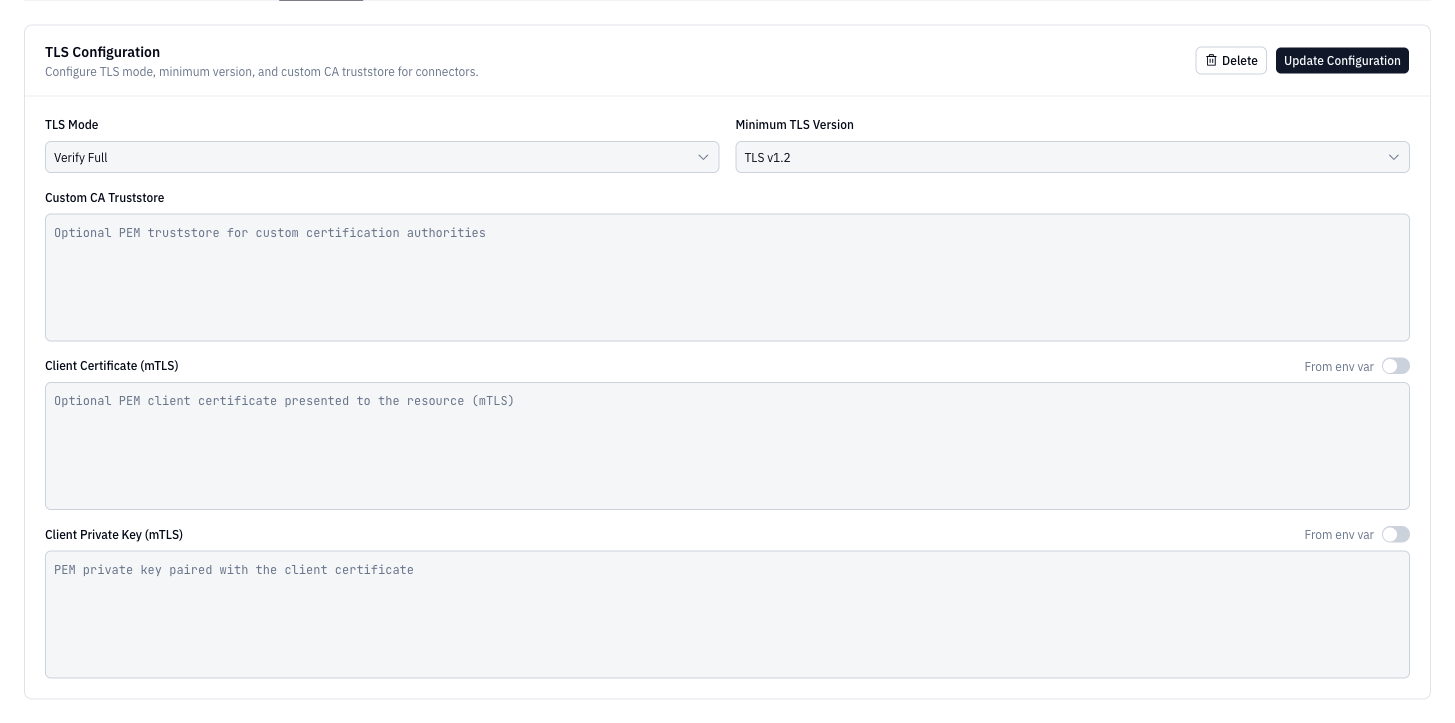
disable, insecure-skip-verify, insecure-verify-ca-only (verifies certificate chain but not hostname), or verify-full.
Resource Hostnames
For resources with multiple instances or endpoints, you can register specific hostnames to distinguish between different access patterns. For example, a Postgres cluster might have separate reader and writer instances, each requiring different connection parameters.Configure Resource Hostnames
Use theformal_resource_hostname resource to register specific hostnames for your resources:
Resource Schema
Required Arguments
hostname(String) - The hostname for this Resource hostnamename(String) - The name of this Resource Hostnameresource_id(String) - The ID of the Resource this hostname is linked to
Optional Arguments
termination_protection(Boolean) - If set to true, this resource hostname cannot be deletedtimeouts(Block, Optional) - Timeout configuration for the resource
Read-Only Attributes
id(String) - The ID of this Resource Hostname
Example: Multi-Instance Database Setup
Resource Hostname Specification
When connecting through the Formal Connector, you can target specific resource hostnames using the database name parameter. Use the formatdatabase@resource-name@hostname-name to specify both the resource and its specific hostname. Alternatively, you can use database@resource-name and include formal_resource_hostname_name=hostname-name in your connection parameters. This feature enables precise routing to specific database instances when you have multiple hostnames configured for a single resource, providing flexibility in managing multi-host database deployments.
Example: