

Overview
Native Users define how a Connector authenticates to an upstream Resource. Formal identities never need to know or send these upstream credentials.This guide documents Native Users supported by Connector 2.17.0 and later.
If your Resource still uses the legacy model, see
Legacy Native Users.If you would like to migrate to new Native Users, see the migration guide.gRPC Resources accept the HTTP credential types. Configure them with Terraform
or the API.
How Native Users work
Each Native User has three important properties:- A label identifies the Native User within its Resource.
- A credential type defines how the Connector authenticates upstream.
- A credential source supplies static values or runs a hook at connection time.
@<label> to their Formal
username. The requested Native User takes precedence over the default selection.
Supported credential types
The Control Plane shows only the credential types supported by the Resource:- Web
- Terraform
Create a Native User
- Go to Resources and open your Resource.
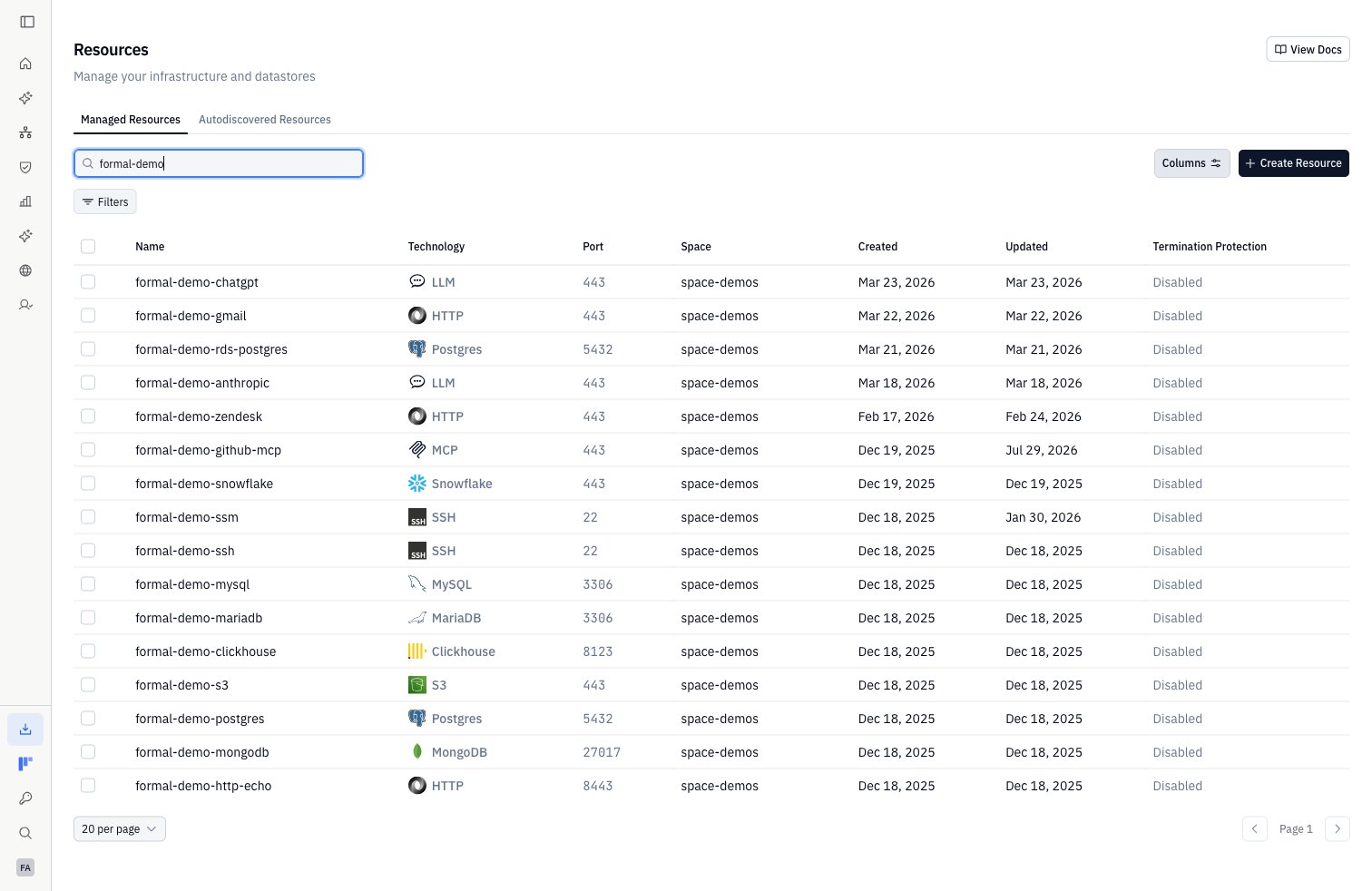
- Select Authentication.
- Click Add User.
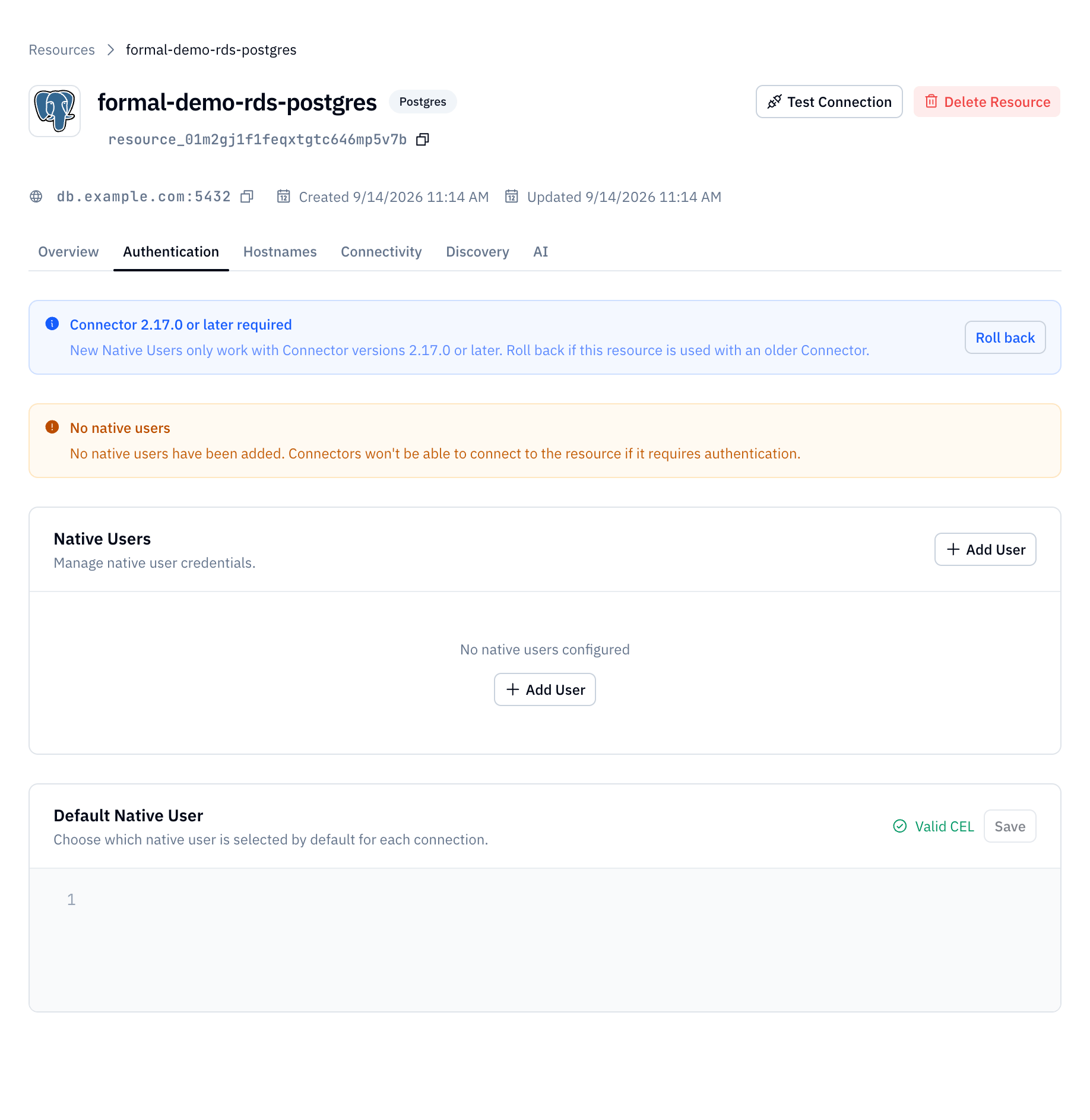
- Select a credential type.
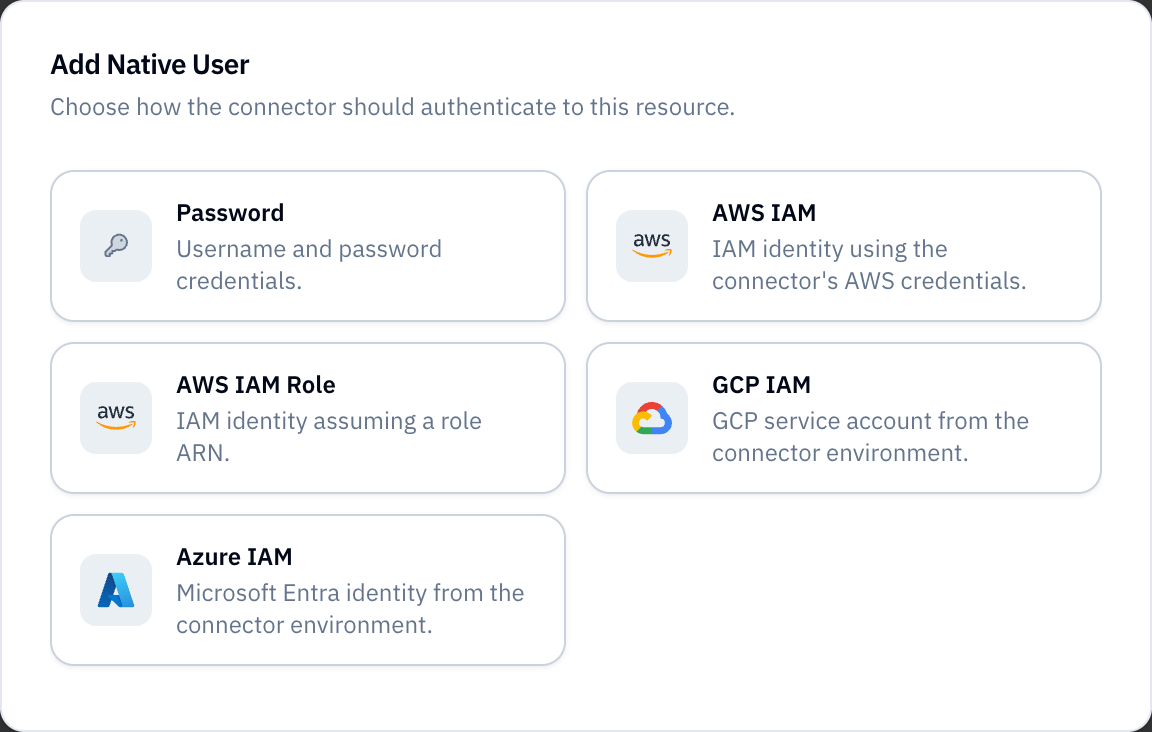
- Enter a unique Label.
- Choose Static or Hook as the credential source.
- Configure the credential fields and termination protection.
- Click Create.
ANALYTICS_READONLY_PASSWORD. Do not use the legacy ENV: prefix.Verify: Confirm that the Native User appears under Native Users with
the expected label, credential type, and authentication source.Resolve credentials with a hook
Choose Hook when credentials must be generated or fetched at connection time. The hook runs on the Connector after policy allows the connection.Select the credential type before writing the hook. The hook must return that type’s exact credential shape.Allowlist every environment variable the hook reads. Access each value through the hook’senv argument.The input argument contains the Resource and selected Native User:Hook examples
The editor providesHookNativeUserInput, HookNativeUserEnvironment, and
HookNativeUserOutput types for your selected credential type.Read a database password from the Connector
Read a database password from the Connector
Select Password and allowlist
DATABASE_PASSWORD.Fetch database credentials from Vault
Fetch database credentials from Vault
Select Password. Allowlist the
vault.example.com network host and
the VAULT_TOKEN environment variable.Mint an HTTP bearer token
Mint an HTTP bearer token
Select HTTP Bearer. Allowlist the
auth.example.com network host.
Allowlist the OAUTH_CLIENT_ID and OAUTH_CLIENT_SECRET environment
variables.Rotate or edit credentials
Select a Native User to open its details. You can rename its label or change termination protection.Use Update Credentials to rotate static credentials. You cannot change a Native User’s credential type or switch between static and hook sources. Create another Native User for those changes.
Select a default Native User
Default Native User maps a Formal identity to a Native User ID. You can copy a Native User’s ID from its action menu to reference it in the CEL expression.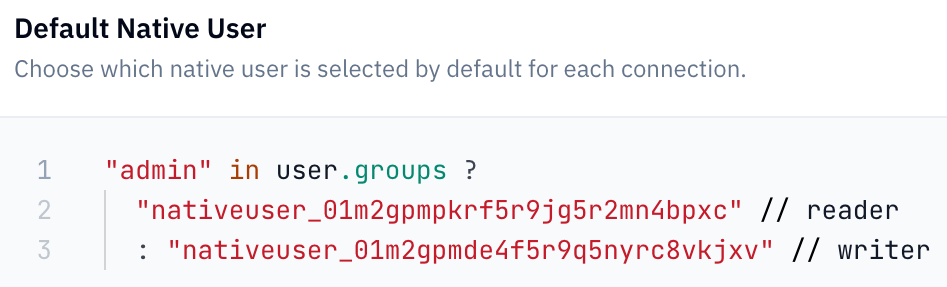
user object supports these fields:CEL result branches must contain literal Native User IDs. Computed result
strings are rejected.Click Save after the editor shows Valid CEL.Verify: Connect without an
@<label> suffix and confirm the expected
upstream credential identity appears in the session log.Require an explicit selection
Leave Default Native User unset to require clients to request a label. HTTP Resources instead proceed without injected credentials.A CEL branch can return an empty string to reject matching identities:Request a Native User at connection time
Append@<label> to the Formal username:
Control explicit overrides with policies
Native Users expose both the requested Native User and assigned default to policies. Each object containsid, label, and user_type.
This session policy blocks an explicit request that differs from the assigned
default:
Understand Native Users in logs
For Formal-authenticated sessions,user.formal.native contains the selected
Native User’s upstream username when applicable.
When a client connects directly with Resource credentials, user.type is
native. Formal identity fields and user.formal.native are absent.