

TLS between clients and the Connector
The hostname you configure will be used to reach and use your Connector. It can be managed by Formal or by yourself.- Formal-Managed: The hostname is a subdomain of a domain that belongs to Formal. Formal will create and renew the TLS certificate of your Connector.
- Customer-Managed: The hostname is in a DNS zone you control. You are responsible for configuring your DNS records and managing your TLS certificates.
Formal-Managed
Formal will automatically generate and renew the TLS certificate for your Connector if the hostname ends with.[NAME_OF_YOUR_ORG].connectors.joinformal.com.
Using our Terraform provider, you can create such a Connector hostname and specify where it should point to:
Customer-Managed
For self-managed hostname and TLS, you must provide your TLS certificate to the Connector. You can do so via our APIs, Terraform, or the Control Plane: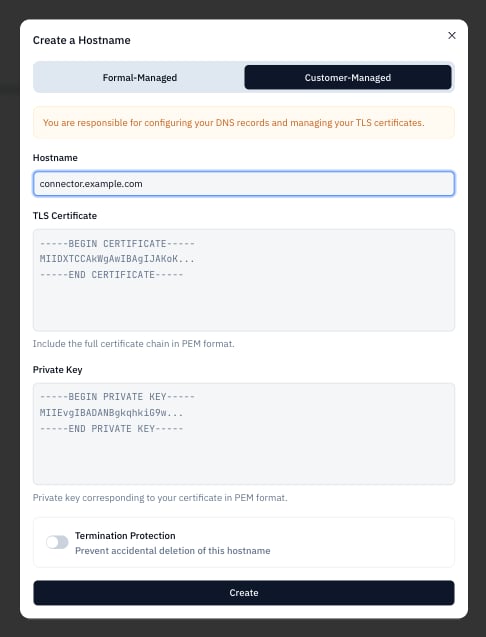
TLS between the Connector and Resources
You can configure TLS settings between the Connector and resources on an individual resource level via our APIs, Terraform, or the Control Plane: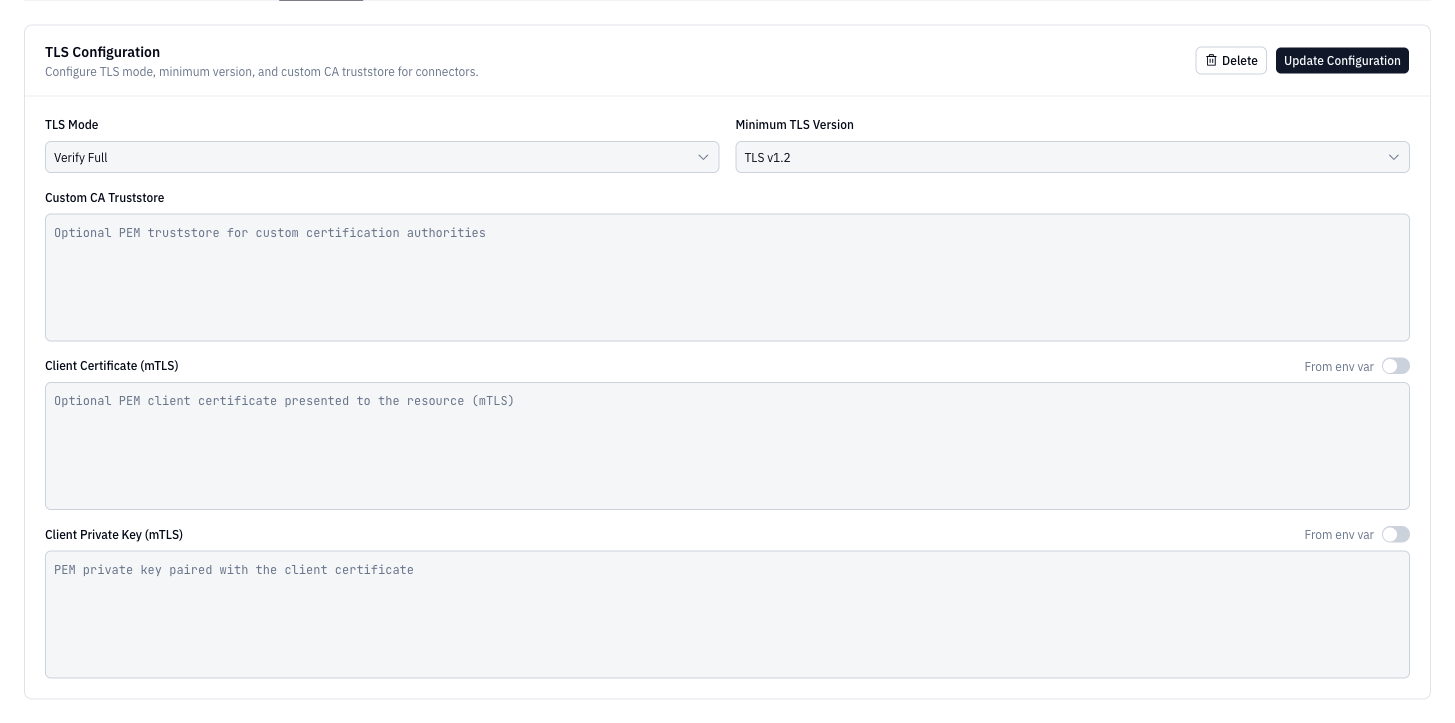
disable, insecure-skip-verify, insecure-verify-ca-only (verifies certificate chain but not hostname), or verify-full.